Agent Creation and Configuration
Create a new agent, change its instructions, choose a voice and language, and define its greeting, operating hours and call transfer rules.
Connect Voice Logica through the Model Context Protocol (MCP) and create, configure, test and manage your AI Voice Agent directly from ChatGPT, Claude, Microsoft Copilot, Grok, Cursor or Perplexity.
You do not have to make every change through the dashboard. Describe what you want to do, and the AI assistant can perform the corresponding actions in Voice Logica.
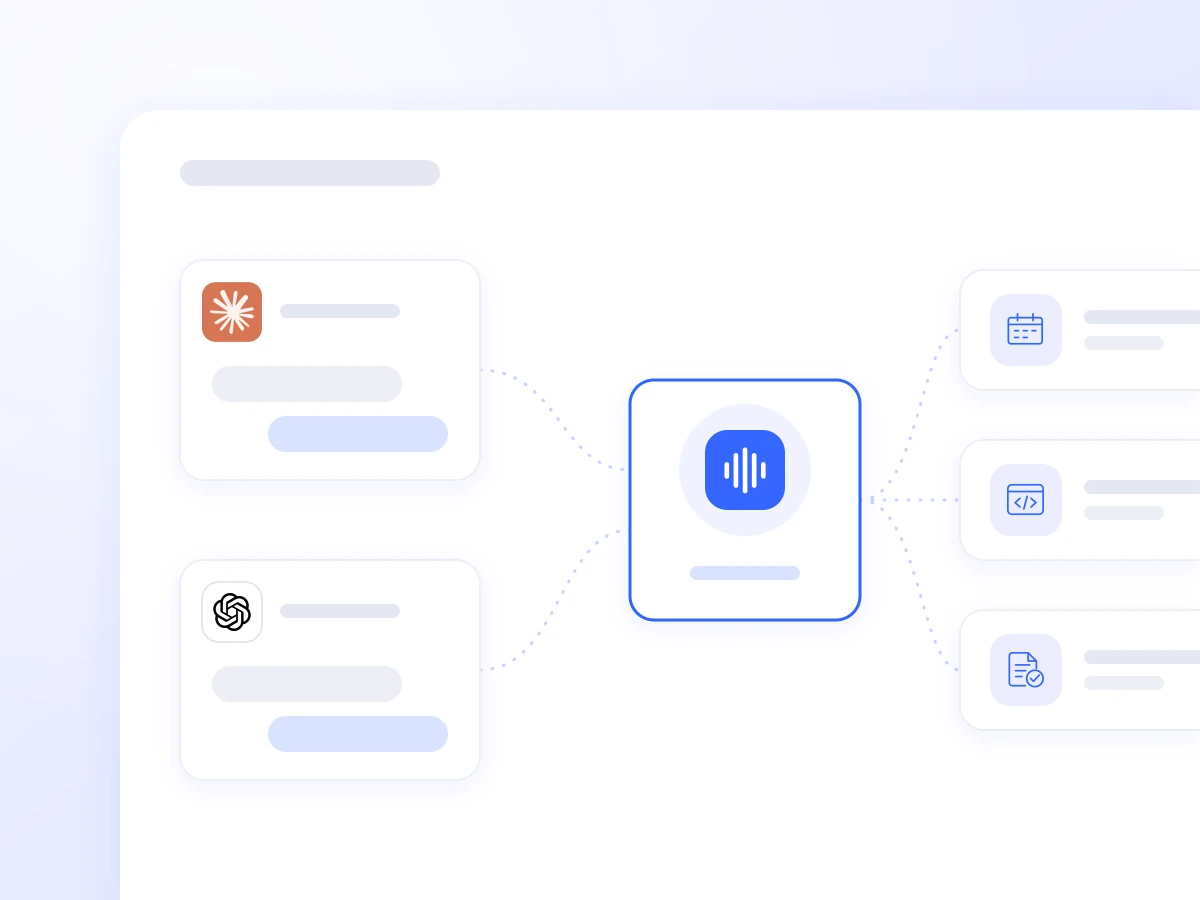
The Model Context Protocol (MCP) is an open standard that enables AI assistants to connect to external applications and services.
With Voice Logica MCP, your AI tool can interact with your Voice Logica account and perform actions according to your access permissions.
Instead of switching between different screens, you can ask within the conversation to:
Create a new AI Voice Agent
Change its instructions or voice
Add knowledge
Make a test call
Analyse real calls
Launch an outbound campaign
Connect a CRM, ERP or business phone system
Add Voice Logica to your AI assistant and sign in with your account.
If you do not already have an account, you can start the process within the conversation by providing basic information about your business.
Ask the AI assistant to create or modify your agent using natural language.
For example:
“Create an AI phone assistant for my hotel using information from our website.”
Start a test conversation in your browser or ask the agent to call your mobile phone once the required verification is complete.
This allows you to test the agent before it handles real business calls.
The MCP connection goes beyond reporting. It supports the management of core Voice Logica functions.
Create a new agent, change its instructions, choose a voice and language, and define its greeting, operating hours and call transfer rules.
Add information from websites, PDFs and documents, create FAQs and identify customer questions the agent could not answer.

Run test calls, test conversations and automated tests to identify issues before the agent handles real calls.
Review calls, transcripts, summaries and statistics, and use the results to improve how the agent operates.
Make individual outbound calls or run organised campaigns, import contact lists and manage callbacks within the same AI environment.
Connect CRM, ERP, e-commerce platforms, calendars and other business systems so the AI Voice Agent can use real data during calls.
Manage phone numbers, SIP connections and routing, and connect the agent to compatible business phone systems.
Create automation for what needs to happen after a call, such as SMS follow-ups, API calls, transfers or other predefined actions.
“Create an AI Voice Agent for my clinic using our website.”
“Call me so I can hear how it works.”
“Which questions did customers ask yesterday that the agent could not answer?”
“Summarise last week’s calls and tell me how many callers wanted an appointment.”
“Connect HubSpot so every call is logged against the contact.”
“Import this customer list and create an outbound campaign.”
“Connect our phone system so the agent answers when no representative is available.”
MCP can also be used after the initial setup.
For example, a manager can ask ChatGPT or Claude to analyse the previous week’s calls, identify the most frequent questions and highlight gaps in the agent’s knowledge.
New information can then be added and the agent’s behaviour adjusted from the same environment.
Improving the AI Voice Agent becomes part of everyday work rather than a separate technical process.
The MCP connection uses OAuth, and the AI assistant operates with the same permissions as the signed-in user.
Actions are distinguished as read-only or actions that make changes, allowing the AI environment to request confirmation before modifying data or settings.
Stored passwords and API credentials are not exposed to the AI assistant.
Actions such as test calls to a mobile phone require an additional verification step.
The Voice Logica MCP Server can also connect directly to tools and environments that support MCP. Available functions and usage instructions are described in the technical guide for AI assistants.
https://api.voicelogica.ai/api/v1/mcp
Authentication uses OAuth with the user’s Voice Logica account.
The public list of available MCP capabilities is available at:
Create, test and manage your AI Voice Agent without having to make every change through the dashboard.
Connect Voice Logica to your AI tool and get started with a simple instruction.
Updated: