Free Demo
Quick Start Guide
Build and test your first AI Voice Agent in just a few minutes
Voice Logica is an AI voice agent platform that is transforming phone calls in Greece — and now you can create and test your own agent without any technical knowledge.
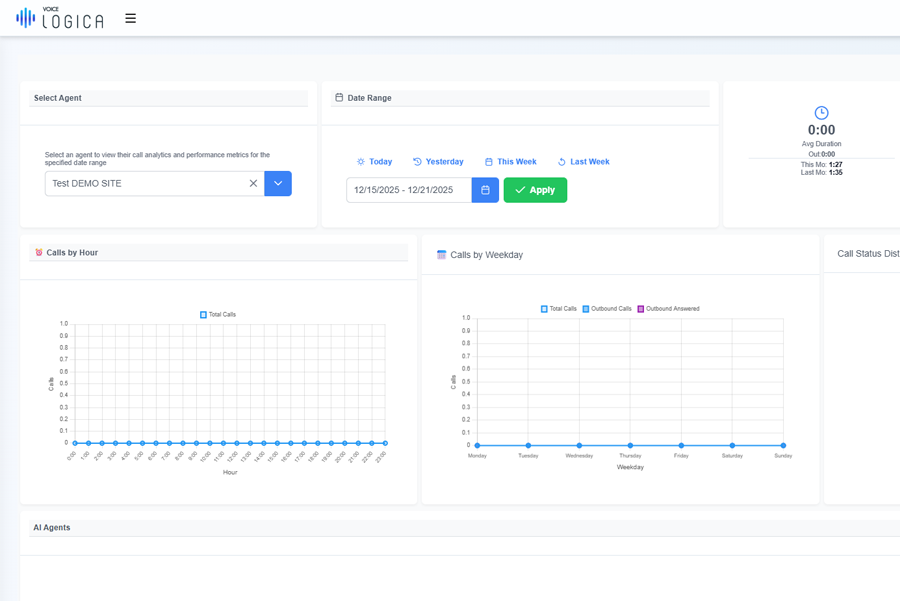
1. Start Setting Up Your Voice Agent
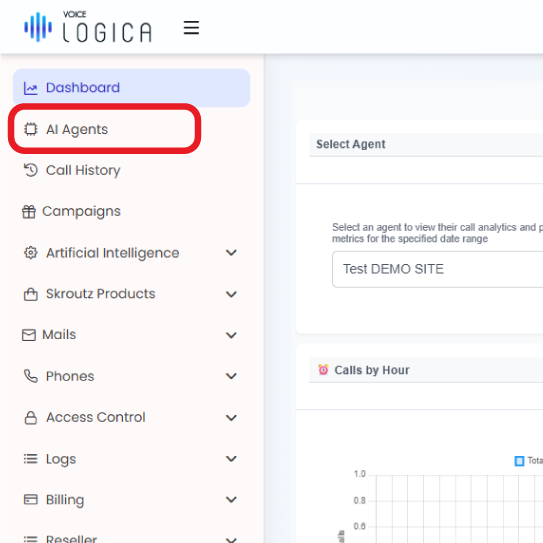
From the main dashboard, open the AI Agent section.
This is where you will create your basic agent and make its first settings.
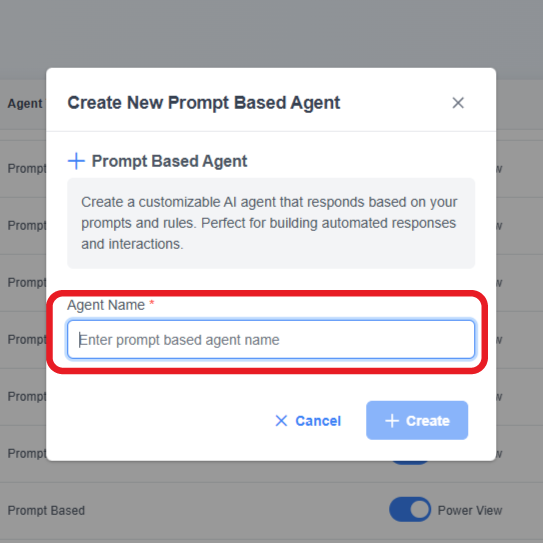
2. Basic Agent Setup
Complete the required settings to activate your agent:
- Agent Name: Give your Agent a name.
- Language: Usually leave it as it is (Greek).
- Voice: Select the voice you prefer.
Tip: From our experience, ElevenLabs and OpenAI provide the most natural and clear performance in Greek.
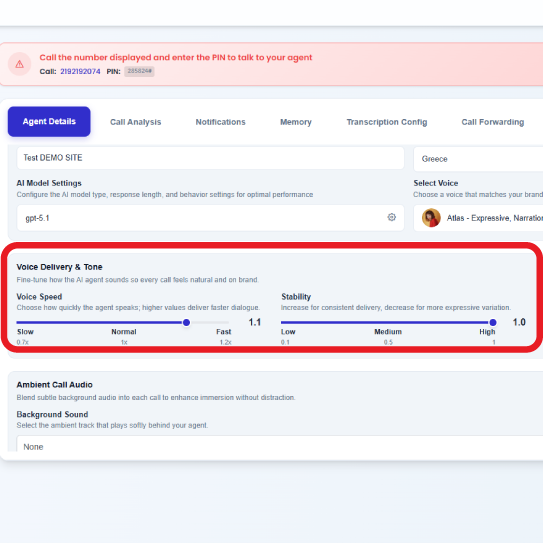
3. Voice & Tone Settings
Improve how your agent sounds so that calls feel natural and pleasant.
- Speech Speed: Choose how quickly the agent speaks. A value of 1.0–1.2 provides the most natural pace for Greek.
- Ambient Audio: You can add subtle background sound behind the agent’s voice.
- Background Volume: If you use ambient audio, keep the volume low so it does not overpower the conversation.
4. Personality & Behavior
Define how your agent should speak and behave so that it matches the overall image of your company.
Your Custom Greeting
Keep it short, friendly and tailored to your business.
Example:
“Hello, I’m the digital assistant for [Company]. How can I help you?”
AI Instructions
Before writing instructions, answer 3 simple questions:
- What kind of agent do you want? (role / what it should do)
- What goal should it achieve? (expected outcome of the call)
- What tone should it have? (polite, concise, professional, etc.)
With these 3 answers, you can immediately create a clear prompt.
Then ask the LLM:
“Create a simple system prompt for an AI voice agent based on the answers above.”
Example:
“Create a simple system prompt for an AI voice agent that:”
- Takes pizza orders.
- Collects order, contact and delivery details and informs the customer about cost and delivery time.
- Is polite, concise and asks one question at a time.
Tip: The clearer your instructions are, the more consistent your agent’s behavior will be.
5. Live Phone Test
Test your agent immediately through a real phone call.
At the top of the screen, you will see a red banner displaying:
- Phone Number
- PIN Code
Call the number, enter the PIN and speak with your agent in real time to see how it responds.
You have a total of 10 minutes of call time available in the demo environment.
When you activate a paid subscription, this available call time increases significantly.
Suggested test phrases:
- “What can you do?”
- “I’d like some information.”
- “Thank you very much!”
6. Improve and Test Again
If something does not sound the way you want, return to the settings and adjust it. Small changes can greatly improve the experience.
If, after testing, you want to explore more advanced capabilities or discuss the next steps for your business, contact us.
Your Demo Voice Agent is ready!
In just a few minutes, you created a fully functional AI Voice Agent, ideal for testing, presentations and evaluation by your team or client.
Updated: