Free Demo
Quick Start Guide
Create and test your first AI Voice Agent in just a few minutes
Voice Logica is an AI voice agent that is revolutionizing phone calls in Greece - and now you can create and test your own agent with no technical knowledge required.
1. Start Setting Up Your Voice Agent
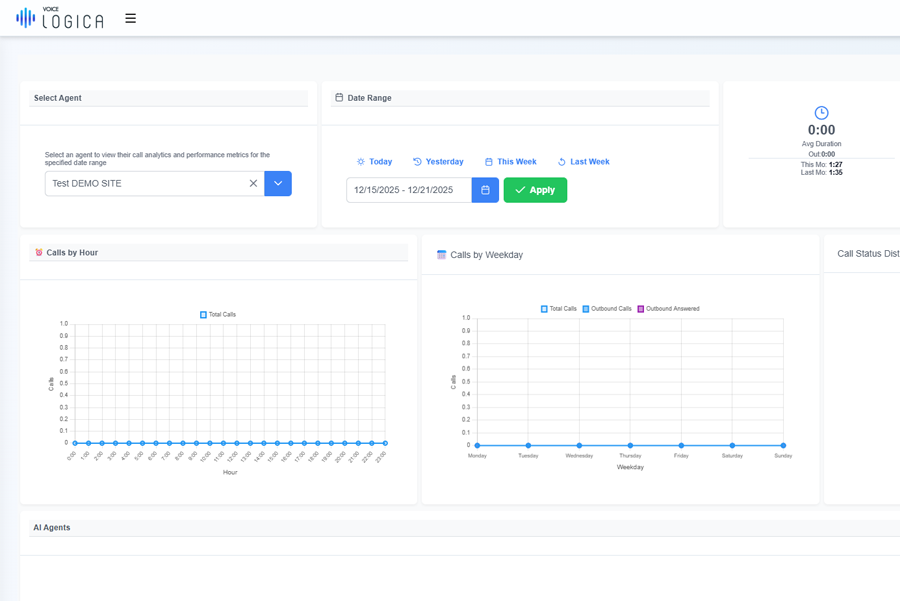
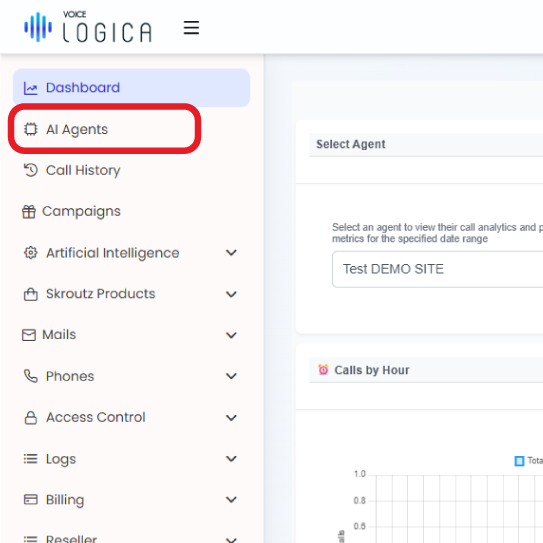
From the main dashboard, open the AI Agent section.
Here, you will create your basic agent and configure its initial settings.
2. Basic Agent Setup
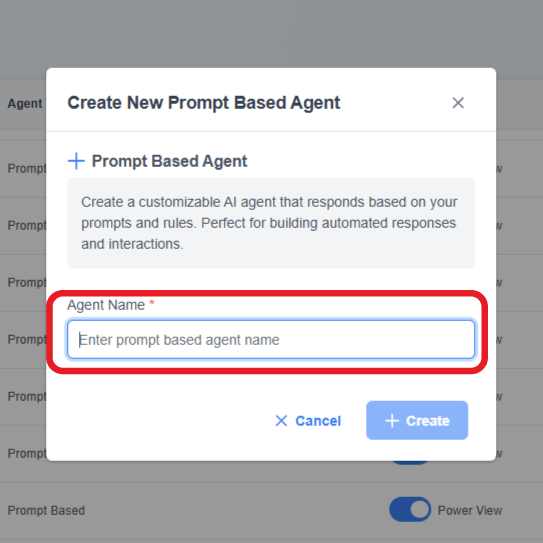
Complete the required details to activate your agent:
- Agent Name: Give your agent a name
- Language: Usually remains as is (Greek)
- Voice: Choose the voice you prefer
Tip:
Based on our experience, ElevenLabs and OpenAI offer the most natural and clear Greek voice output.
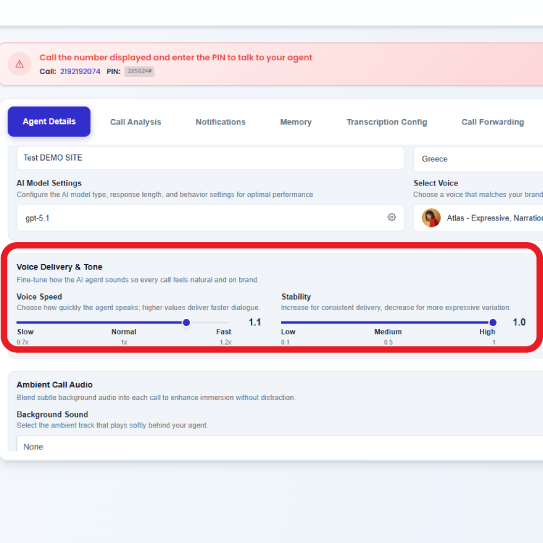
3. Voice & Tone Settings
Fine-tune how your agent sounds to make calls natural and pleasant.
- Speech Rate: Choose how fast the agent speaks. A value of 1.0–1.2 provides the most natural pace for Greek.
- Ambient Audio: You can add subtle background sound behind the agent’s voice.
- Background Volume: If you enable ambient audio, keep the volume low so it doesn’t overpower the speech.
4. Personality & Behavior
Define how your agent speaks and behaves so it aligns with your company’s overall brand and tone.
Your Custom Greeting
Keep it short, friendly, and tailored to your company.
Example:
“Hello, I’m the digital assistant of [Company]. How can I help you?”
AI Instructions
Before writing instructions, answer 3 simple questions:
- What kind of agent do you want? (role / what it should do)
- What goal should it achieve? (expected call outcome)
- What tone should it have? (polite, concise, professional, etc.)
With these 3 answers, you can immediately create a clear prompt.
Then, ask the LLM:
“Create a simple system prompt for an AI voice agent, based on the answers above.”
Example:
«“Create a simple system prompt for an AI voice agent that:
- Takes pizza orders
- Collects order, contact, and delivery details and informs the customer about cost and delivery time
- Is polite, concise, and asks one question at a time”
Tip:
The clearer your instructions, the more consistent your agent’s behavior will be.
5. Live Phone Test
Test your agent instantly through a real phone call.
At the top of the screen, you will see a red banner displaying:
- Phone Number
- PIN Code
Call the number, enter the PIN, and speak with your agent in real time to see how it responds.
You have a total of 10 minutes of available call time in the demo environment.
Once a paid subscription is activated, this time increases significantly.
Suggested test phrases:
- “What can you do?”
- “I’d like some information.”
- “Thank you very much!”
6. Refine and Retest
If something doesn’t sound the way you’d like, return to the settings and adjust it. Small changes can make a big difference to the overall experience.
If, after testing, you’d like to explore more advanced features or discuss the next steps for your business, feel free to contact us.
Υour Demo Voice Agent is ready!
In just a few minutes, you’ve created a fully functional AI Voice Agent—ideal for testing, presentations, and evaluation by your team or your clients.